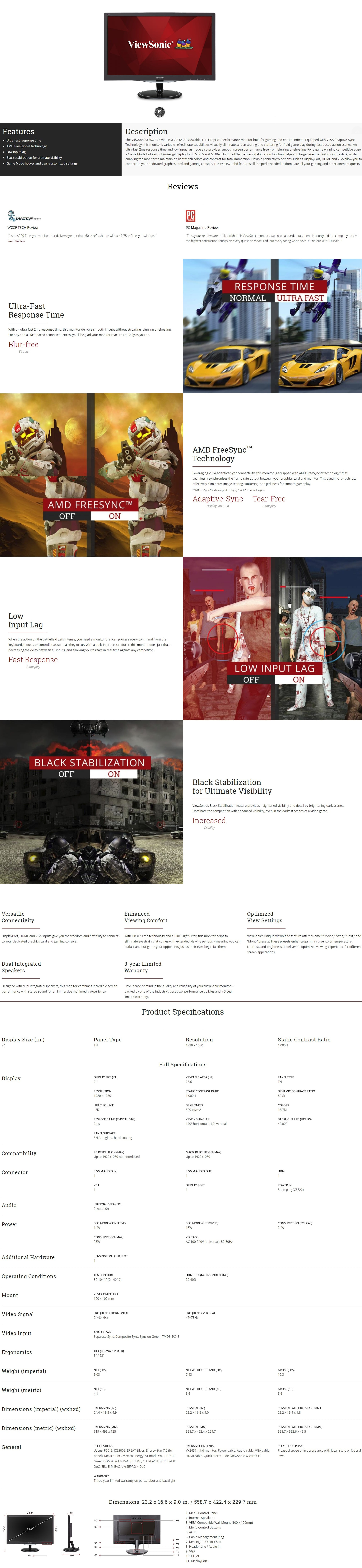
Display diagonal
Size of the display for this product, measured diagonally, usually in inches.
59.9 cm (23.6")
Display brightness (typical)
Display brightness, measured by its Luminance, presented as a figure in candela per square meter (cd/m2). Typical brightness ratings for monitors range from 250 to 350 cd/m2 with a target value of between 80 to 120 cd/m2 being suitable for most displays in a normal viewing environment.
300 cd/m²
Display resolution
The number of distinct pixels in each dimension that can be displayed. It is usually quoted as width × height, with the units in pixels: for example, "1024 × 768" means the width is 1024 pixels and the height is 768 pixels. The higher the number of pixels, the sharper the image.
1920 x 1080 pixels
Response time
The response time is the time difference between the moment that a source (for example a video card) sends a signal and that equipment (for example a monitor) receives or display the signal. (Used abbreviations: R/F = Rise and Fall.)
1 ms
HD type
Type of supported High Definition (e.g. Full HD, 4K Ultra HD).
Full HD
Display technology
The technology used in the display e.g. plasma, LED.
LCD
Backlight type
W-LED
Display surface
Matt
Screen shape
Flat
Contrast ratio (typical)
The difference in light intensity between the brightest white and the darkest black.
1000:1
Contrast ratio (dynamic)
A property of a display system, defined as the ratio of the luminance of the brightest color (white) to that of the darkest color (black) that the system is capable of producing.
80000000:1
Dynamic contrast ratio marketing name
Mega Contrast
Viewing angle, horizontal
Maximum horizontal angle at which a display can be viewed with acceptable visual performance.
170°
Viewing angle, vertical
Maximum vertical angle at which a display can be viewed with acceptable visual performance.
160°
Display number of colours
16.78 million colors
Panel type
TN
Digital horizontal frequency
24 - 84 kHz
Digital vertical frequency
47 - 75 Hz
Separate H/V sync
Device has separate horizontal and vertical synchronization.
Composite sync
Combines horizontal and vertical synchronization onto one pair of wires. When used in RGB connections, four separate signals are sent (Red, Green, Blue, Sync).
Sync-on-green (SOG)
Combines composite sync with the green signal in RGB. Only three signals are sent (Red, Green with Sync, Blue).
Colour gamut
72%
Performance
VESA Adaptive Sync support
AMD FreeSync
The product includes AMD Freesync Technology for the dynamic synchronization of the graphic card and the monitor in order to avoid screen tearing.
Multimedia
Built-in speaker(s)
The device contains speaker(s) to produce sound.
Number of speakers
The quantity of speakers included in/with the product.
2
RMS rated power
RMS (Root mean square) is a measure of the continuous power required by a device, in particular audio amplifiers and loudspeakers.
4 W
Design
Market positioning
Under which category can the device be positioned in the market, e.g. camera phone.
Gaming
Energy Star certified
This indicates that the product is compliant with Energy Star, which is an international standard for energy-efficient consumer products.
EPEAT compliance
EPEAT (Electronic Product Environmental Assessment Tool) is a way to measure the impact of a product on the environment. The most environmentally-friendly products are given a Gold rating, and the least given a Bronze.
Silver
Product colour
The colour e.g. red, blue, green, black, white.
Black
Certification
WEEE, RoHS Green BOM & RoHS DoC, REACH SVHC List & DoC, CE, EMC, CB, ErP, Windows 8, Windows 10, cULus, FCC-B w/ ICES003, Energy star 6.0, EPEAT(Silver), Mexico-CoC, Mexico Energy, BSMI, PSB, RCM, MEPS, SASO, KC, E-Standby, VCCI, PSE, CCC, CEL Level 1
Ports & interfaces
VGA (D-Sub) ports quantity
Number of VGA (D-Sub) ports (connecting interfaces) in the device. The VGA (D-Sub) connector is a 15 pin connector between a computer and a monitor. It was first introduced in 1987 by IBM.
1
HDMI ports quantity
The number of sockets (ports) for HDMI connections. HDMI (High-Definition Multimedia Interface) is a compact audio/video interface for transferring uncompressed video data and compressed/uncompressed digital audio data from a HDMI-compliant device ("the source device") to a compatible computer monitor, video projector, digital television, or digital audio device. HDMI is a digital replacement for existing analog video standards.
1
DisplayPorts quantity
Number of DisplayPorts. A DisplayPort is a digital display interface developed by the Video Electronics Standards Association (VESA). The interface is primarily used to connect a video source to a display device such as a computer monitor, though it can also be used to carry audio, USB, and other forms of data.
1
Audio input
The type of audio input that the device requires, and the connection needed.
Audio output
The type of audio output that the device produces, and the connector(s).
Ergonomics
Panel mounting interface
The product can be used wih VESA mounting interfaces.
100 x 100 mm
VESA mounting
Tilt adjustment
The tilt, which means the angle at which the device is pointing (up or down), can be changed.
Tilt angle range
-5 - 23°
Power
Power consumption (typical)
Amount of power consumed by this model, often expressed in watts (W). Typical values that manufacturers give are power consumption when off, standby/suspended mode, typical use, maximum usage.
18 W
AC input voltage
The voltage of the AC electricity that is inputted into the product.
100 - 240 V
AC input frequency
50 - 60 Hz
Operational conditions
Operating temperature (T-T)
The minimum and maximum temperatures at which the product can be safely operated.
0 - 40 °C
Operating relative humidity (H-H)
20 - 90%
Weight & dimensions
Width
The measurement or extent of something from side to side.
558.7 mm
Width (with stand)
558.7 mm
Depth (with stand)
229.7 mm
Height (with stand)
422.4 mm
Weight (with stand)
4.08 kg
Packaging data
Cables included
AC,Audio (3.5mm),HDMI,VGA
Other features
Power consumption (max)
The maximum amount of power used by the device.
24 W
Quick start guide
Instructions, either online, as a computer program or in paper form, to allow you to set up and start using the product quickly.